Every job application demands a new login. Here’s why that model endangers candidate privacy, and how to protect yourself without losing your mind.
If you’ve applied for a job recently, you’ve likely lived this experience. You click an appealing listing, get redirected to a portal, often hosted on a platform like Workday, and immediately hit a brick wall. Before you can upload a single document or type a word about your qualifications, you’re required to create a brand new account.
I hit this wall myself during the job search. Creating my (I for got how many) or more candidate account in a single week, I realized I’d started reusing the same password just to keep moving. That moment is what prompted this piece.
You set up an account, complete the form, submit your resume, close the tab. Hours later, you find another opportunity at a completely different organization. Once again, you click apply, and once again you’re greeted with the exact same interface asking you to create another account. Your previous credentials don’t work, because each corporate portal exists in total isolation from the next.
For job seekers navigating a competitive search, this routine repeats dozens or even hundreds of times. While this architecture serves the legal and technical boundaries of individual corporations, it creates an invisible security crisis for applicants. Understanding why this happens, recognizing the real risks, and setting up a clean personal defense strategy can safeguard your digital identity without slowing down your career move.
The Hidden Mechanics Behind the Login Wall
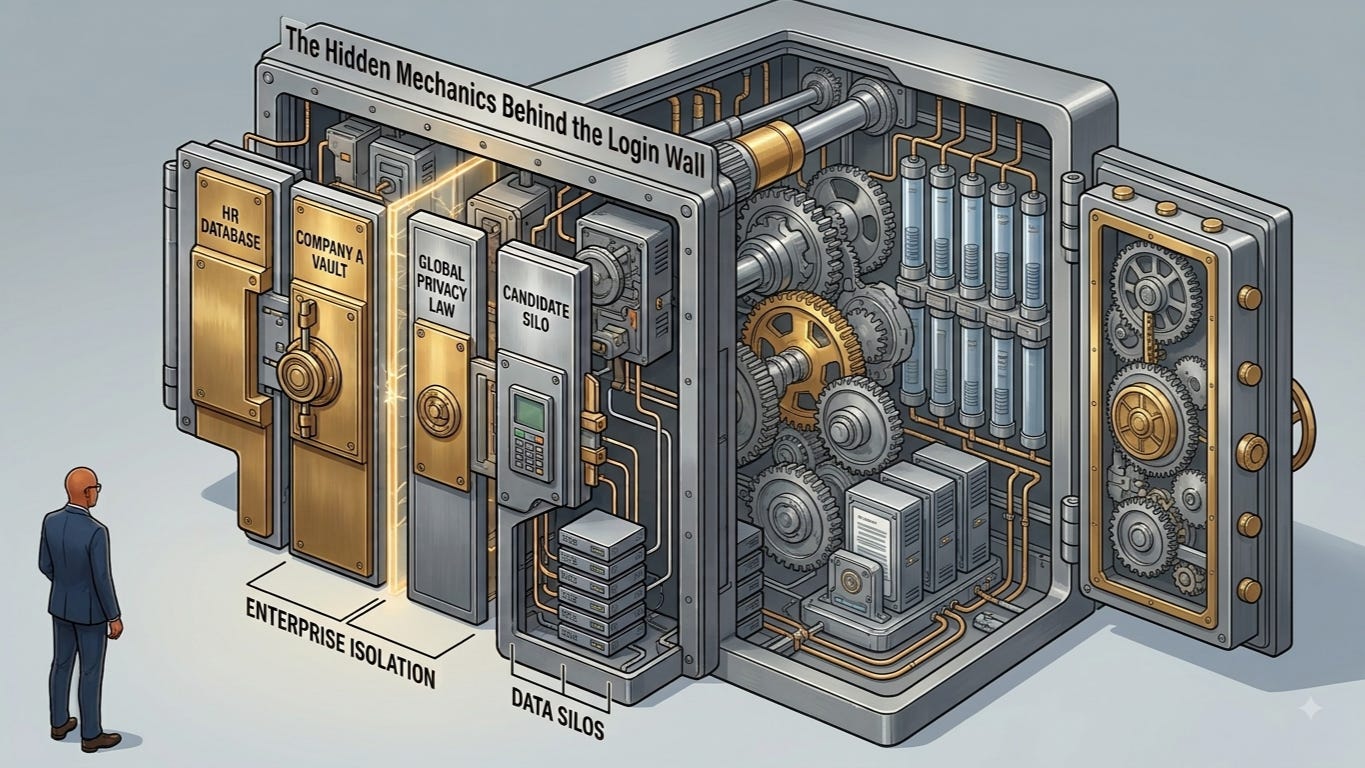
To understand why this login circus exists, it helps to look at how enterprise software is constructed. Large corporate applicant tracking systems, Workday being the one job seekers encounter most often, alongside platforms like iCIMS and Greenhouse, are designed primarily for enterprise isolation. When Company A buys a management platform, they receive an isolated corporate database vault. When Company B buys the same software service, they receive a completely separate one.
Each company legally owns and controls its own candidate pipeline, and global privacy laws make it difficult for candidate profiles to float in any shared pool. The result is a system optimized for corporate compliance. Candidate convenience simply wasn’t part of the design brief. This isn’t unique to any single vendor. Workday, iCIMS, Greenhouse, and many other platforms across the industry share this same siloed account architecture. Because each employer acts as an independent entity, there’s no shared candidate directory across companies, regardless of which platform they’ve chosen.
To the candidate, every portal looks identical, operates identically, and often bears a familiar brand name across dozens of employers. To the software behind the curtain, every corporate domain is a distinct island. The system forces you to build a new house on every island you visit.
How Convenience Drives Dangerous Habits
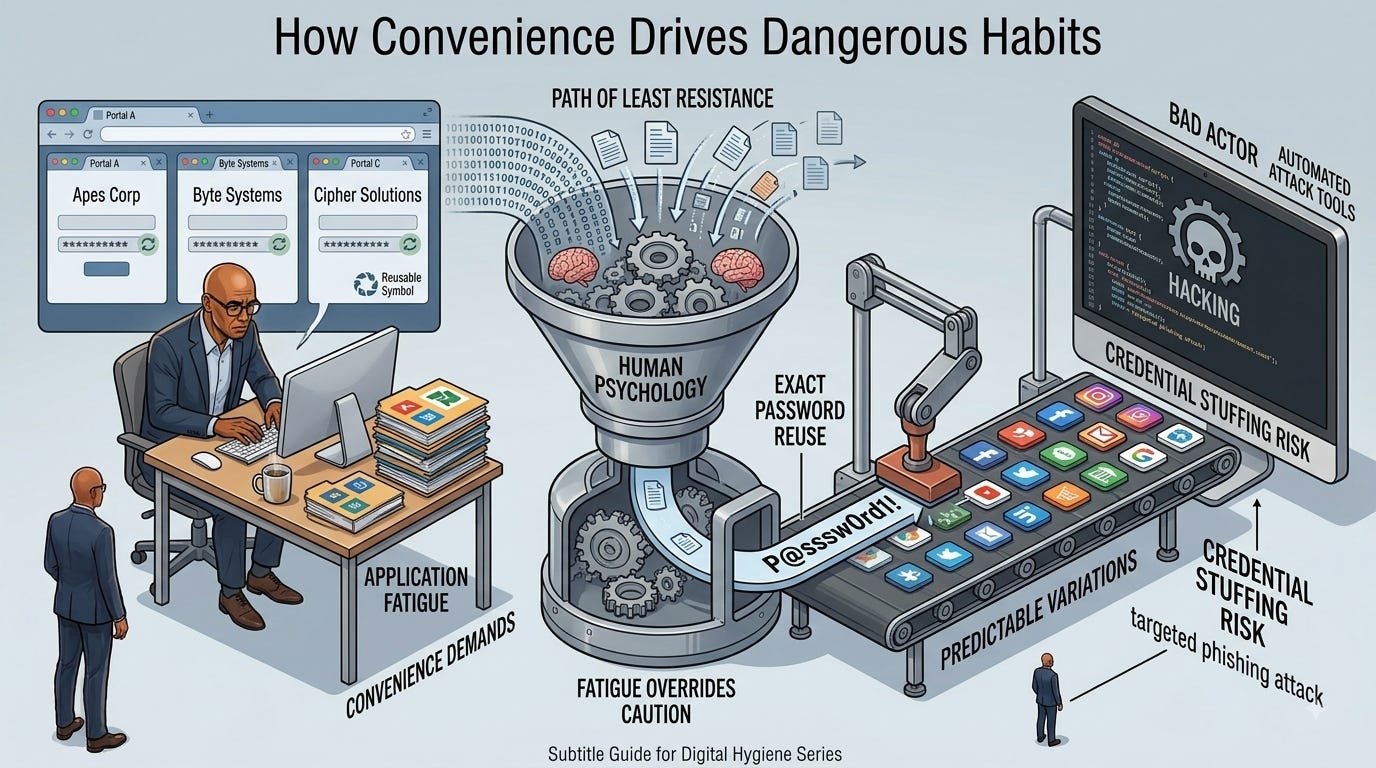
Human psychology always favors the path of least resistance. When we’re tasked with creating twenty separate accounts in a single week just to send out resumes, fatigue sets in fast. Remembering twenty unique, complex passwords without dedicated tools is virtually impossible.
As a result, many job seekers resort to convenient compromises:
- Exact password reuse. Using a single favorite password across every candidate portal.
- Main account reuse. Worse yet, using the same password that secures personal email, banking, or social media.
- Predictable variations. Patterns like adding the company name to a common root word, which automated credential testing tools decode easily.
This creates a massive risk profile known as credential stuffing. Bad actors take leaked username and password pairs from one compromised, low security site and run automated tools to test those identical credentials across thousands of financial, social, and administrative sites.
The reality of applicant data exposure: job applications contain your home address, phone number, work history, education timeline, and personal references. If an attacker gains access to your applicant portal account, they get a comprehensive blueprint for targeted identity theft and convincing phishing attacks.
Building a Bulletproof Defense Strategy
You can’t change how these enterprise platforms design their architecture, but you can completely insulate yourself from the risks they introduce. A clean personal workflow takes less than an hour to set up and removes password stress for good.
1. Adopt a Dedicated Password Manager (Please Do This)
The single most effective defense is delegating password creation and memory to a specialized, encrypted vault. Instead of memorizing passwords, you remember one master phrase that unlocks your vault. Everything else is generated automatically with max length randomness.
- Bitwarden (my recommended for most): an exceptional free tier, robust cross device syncing, and open source architecture. Seamlessly auto-fills unique credentials.
- 1Password: a polished experience for managing credentials, secure notes, IDs, and family sharing plans.
- Dashlane and KeePass: Dashlane offers integrated identity monitoring features. KeePass and Vaultwarden give security focused users complete local custody over an encrypted database file, no third party cloud required.
- Legacy alternatives (LastPass): LastPass remains widely used, but its history of breaches has led many security professionals to recommend newer, more transparent alternatives like Bitwarden or 1Password for long term peace of mind.
2. Deploy Email Subaddressing and Aliasing
Password security is only half the equation. Shielding your primary email address completes the barrier. (If possible, use another address altogether)
- Plus addressing. If your email is opentowork@jermsmit.com, most providers let you sign up as opentowork+somecompany@jermsmit.com. Mail still lands in your regular inbox, but you can instantly tell which company it came from, or if your address was shared without permission.
- Dedicated alias services. Tools like SimpleLogin, Firefox Relay, or iCloud Hide My Email generate unique, random forwarding addresses per application. If a portal is breached or starts sending spam, you switch off that one alias without touching your main inbox.
3. Use Federated Single Sign-On When Available
Whenever a portal offers “Sign in with LinkedIn” or “Sign in with Google,” consider using it. Federated sign on passes a secure token instead of creating a new local password in that employer’s vault, keeping your login authenticated through a platform where you can enforce strong multi-factor authentication, like a hardware key or authenticator app.
A Simple Checklist for Your Next Application
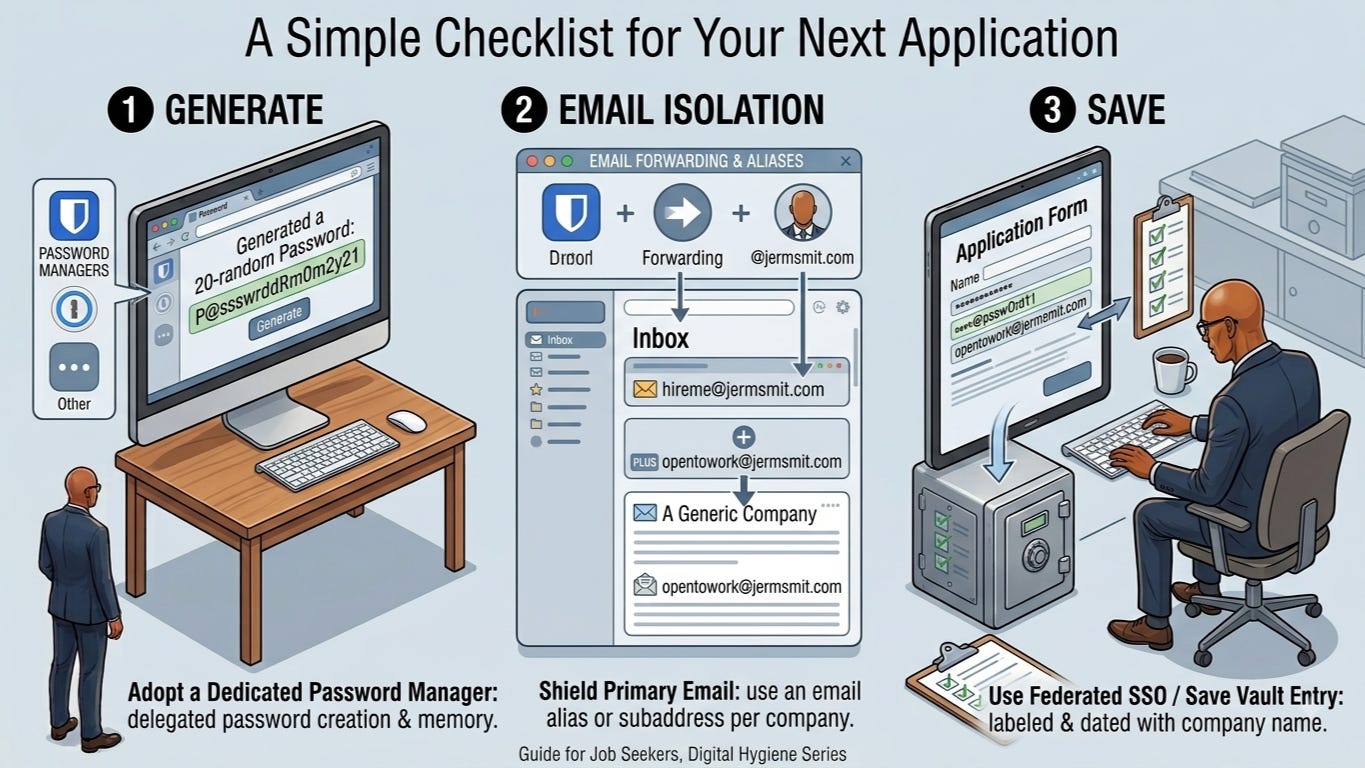
Next time you land on a portal like these requiring a new account, run this three step routine:
- Open your password manager and generate a random 20 character password.
- Use an email alias or subaddress specific to that company.
- Save the entry in your vault, labeled with the company name and date.
By shifting to dedicated password management and email isolation, you turn a repetitive, frustrating step, whether it’s Workday, iCIMS, Greenhouse, or any of the many other portals out there, into a secure process. You protect your banking and social accounts, keep clean control over your communications, and stay focused on what matters: landing your next opportunity. Best of luck to all of us.
Guide for Job Seekers, Digital Hygiene Series