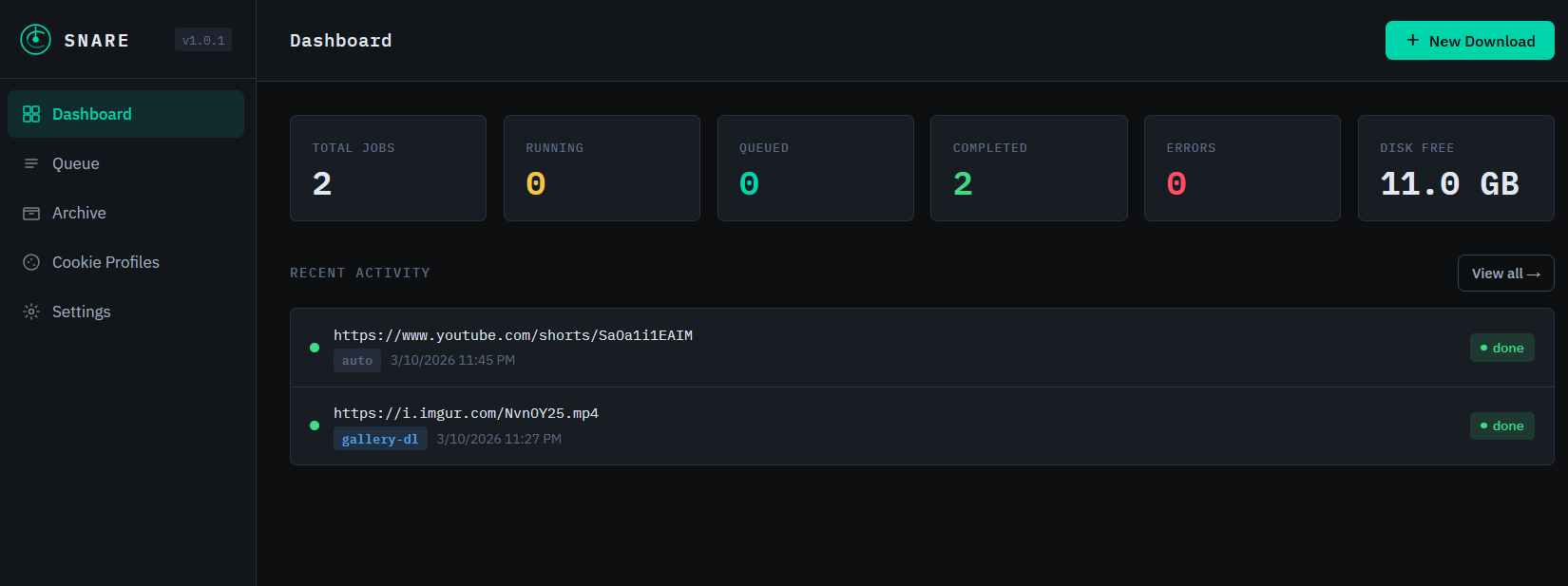
If you’ve ever used yt-dlp or gallery-dl from the command line to save videos, images, or media from around the web you already know how powerful these tools are. But running them manually, remembering the flags, managing cookies for authenticated sites, and keeping track of what you’ve downloaded gets tedious fast.
That’s why I built Snare.
Snare is a self-hosted web application that wraps yt-dlp and gallery-dl with a clean dashboard UI think Pi-hole, but for media archiving. Install it once on a Linux server, point your browser at it, and you have a full download manager available from any device on your network.
What Snare Does
At its core, Snare gives you a web interface to do everything you’d normally type into a terminal:
- Submit any URL and it auto-detects whether to use yt-dlp or gallery-dl
- Watch downloads progress in real time with live log output
- Browse your downloaded files in a built-in file manager
- Stream videos and audio directly in the browser no downloading required to preview
- Download individual files or entire folders as a ZIP with one click
- Delete files and folders from the archive right from the UI
- Manage cookie profiles so you can download from authenticated sites like Patreon, YouTube memberships, or Instagram
It supports over 1,000 sites through yt-dlp and 300+ through gallery-dl YouTube, Twitter/X, TikTok, Vimeo, Twitch, Reddit, DeviantArt, Flickr, Pixiv, Imgur, and many more.
Installing Snare
Snare runs on Ubuntu 20.04, 22.04, and 24.04. Installation is a single command:
git clone https://github.com/jermsmit/snare.git
cd snare
sudo bash installer/install.sh
The installer handles everything system packages, yt-dlp, gallery-dl, ffmpeg, a Python virtual environment, and a systemd service that starts automatically on boot. When it’s done, you get a URL printed to the terminal and Snare is ready to use.
There’s also an upgrade path for existing installations:
sudo bash installer/install.sh –upgrade
This updates all dependencies and application files while preserving your existing downloads, settings, and cookie profiles.
Cookie Authentication
One of the more useful features is cookie-based authentication. Some content requires you to be logged in Patreon posts, YouTube channel memberships, Instagram private accounts, and so on.
Snare handles this by letting you import cookies from your browser using the Cookie-Editor extension. You log into the site in your browser, export the cookies as JSON, and paste them into a cookie profile in Snare. From then on, any download job you attach that profile to will authenticate automatically.
The Tech Stack
For anyone curious about what’s under the hood:
- Backend: Python + FastAPI with an async job queue
- Database: SQLite via aiosqlite zero configuration, no separate DB server
- Frontend: Vanilla JS single-page app with IBM Plex Mono/Sans
- Service: systemd on Ubuntu, auto-restarts on failure
- Downloaders: yt-dlp and gallery-dl as subprocess calls
The whole thing is intentionally lightweight. No Docker required for a basic install, no Node.js, no Redis. Just Python and a handful of pip packages.
Get Snare
Snare is open source under the MIT license. You can find the full source, installation instructions, and release notes on GitHub: https://github.com/jermsmit/snare
The latest release is v1.1.0. If you try it out, I’d love to hear what you think issues and pull requests are welcome.